1
Sign in with Steam
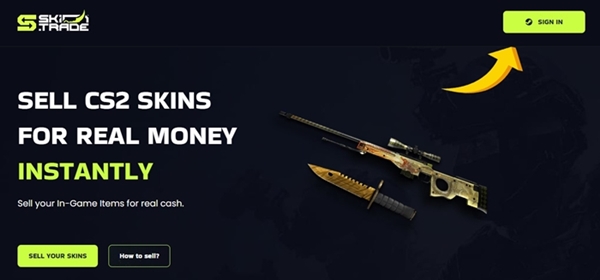
Log in using your Steam account. Set your inventory to public and add a Trade URL so we can send you the skins you purchase.
Buy in 6 simple steps
Browse our market and buy skins with Site Balance or cryptocurrency. Fast delivery, secure trades, no middlemen.
Verified Platform
Registered Company
Instant Delivery
Balance & Crypto
24/7 Support
Live help when you need it
Skin.Trade offers a verified marketplace with instant balance purchases and secure crypto payments. Follow the steps below to get your skins in minutes.
Log in using your Steam account. Set your inventory to public and add a Trade URL so we can send you the skins you purchase.
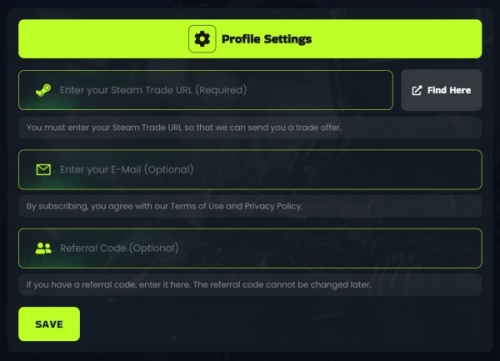
Set your Steam inventory to public. Add a valid Trade URL so we can send the skins directly to your inventory after purchase.
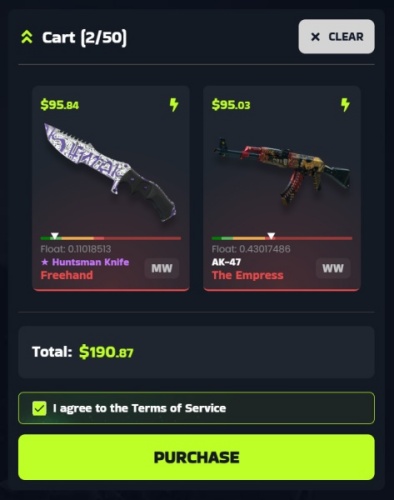
Explore our market and pick the skins you want. Add them to your cart and proceed to checkout when ready.
Confirm the trade from our bot in Steam, then approve it in your Steam Guard mobile app.
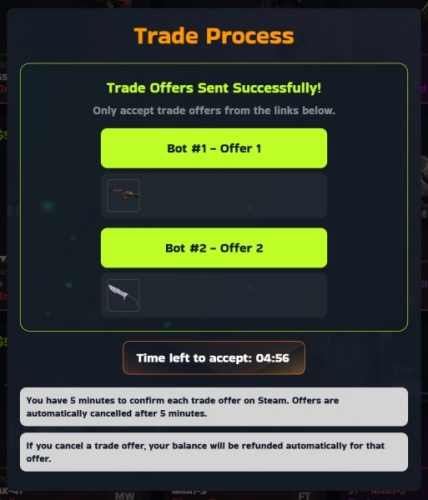
Skins arrive in your Steam inventory immediately after you accept the trade. Enjoy your new items!
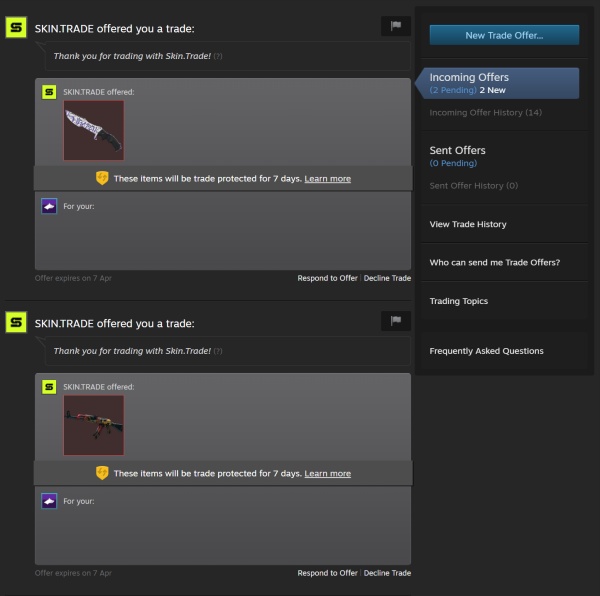
Browse our market and get the skins you want at competitive prices.
With Site Balance, skins are sent instantly via trade offer. With cryptocurrency, items are reserved for you immediately—trade offers are sent after the 8-day security hold.
Yes. We use official Steam trade offers. Items are only transferred when you accept. We never access your account or request your password.
Yes. Skin.Trade is focused on CS2 / CS:GO skins.
We accept Site Balance (instant), Bitcoin (BTC), Ethereum (ETH), Litecoin (LTC), and Tether (USDT). You can also fund your balance by selling skins first.
buying CS2 skins pages on Skin.Trade are written for people who want a practical path from research to a completed Steam trade. A skin price is not a single number. It moves with exterior, float, StatTrak, pattern, stickers, and how many similar listings are live. Start by naming the exact finish, then compare that finish with nearby wears instead of trusting a headline price from an old screenshot.
Before you buy buying CS2 skins items, sign in with Steam, confirm Steam Guard Mobile, and save a working Trade URL. Skin.Trade delivers purchased skins with an official Steam trade offer. If the Trade URL is missing or the inventory is private, the offer cannot be completed. Set those account details first so checkout is not the moment you discover a block.
Selling works in the other direction. Select the items you actually want to cash out, review the quote, and send the trade only after the item names and quantities match. A quote is tied to the items in that offer. Swapping a Factory New piece for a Field-Tested one, or adding a stickered skin you did not mean to include, changes the value. Read the offer on Steam before you accept it.
Float and exterior explain most price gaps inside one finish. Factory New and Minimal Wear can be close on some weapons and far apart on others. Battle-Scarred is not automatically a bargain if the float is at the high end of the range or the pattern is unpopular. When a listing looks cheap, check the wear label, the float if it is shown, and whether StatTrak is present. Those three fields prevent the most common bad purchases.
Patterns and stickers are the next split. Doppler, Fade, Case Hardened, and similar finishes are priced by pattern, not only by name. A craft with tournament stickers can be worth more than the base gun, or the stickers can be scraped and worth little. Do not pay a craft premium unless you can see the stickers and you want them. For a play skin, a clean listing without a craft is usually easier to resell.
Liquidity matters as much as the sticker price. A common rifle skin with many listings is easier to buy and sell than a rare knife pattern with one listing. If you may want to cash out later, prefer finishes that show steady supply on Skin.Trade and on the broader market. A low asking price on an item nobody is buying is not a discount. It is a listing that can sit.
Crypto is the payout and deposit rail on Skin.Trade. Bitcoin, Ethereum, Litecoin, and USDT are the methods shoppers use, and each network has its own minimum and fee. Match the network to the wallet you control. An ERC20 USDT address is not a BEP20 address. Sending or requesting the wrong network is the usual reason a payment looks missing. The Limits and Fees page lists the current minimums so you can check them before you move funds.
Balance on the site is for buying. A completed sale can be withdrawn in crypto or left on the balance for the next purchase. Withdrawals follow the minimum for that method. If you are cashing out a small stack of cheap skins, grouping them into one sale is often cleaner than several payouts that each sit near the minimum. Fees are shown with the method, not added as a surprise after you confirm.
Security is part of the trade, not a separate product. Skin.Trade will not ask for your Steam password, Steam Guard code, private key, or seed phrase. Support is handled with Discord tickets. Impersonators copy avatars and ask for those secrets. Confirm the ticket is the official Skin.Trade server, and never move a trade off-platform because a message told you the site is down.
Use the guides as a checklist, then verify the live listing. Article prices and tier lists go stale. The marketplace row is the current ask. If this buying CS2 skins page helped you narrow a finish, open Buy to see what is actually for sale, or open Sell if you already hold the item and want a quote. That last check is what keeps a researched purchase from becoming an outdated one.
A useful buying CS2 skins shortlist has three columns: the finish you want, the wear you will actually play with, and the highest price you will pay today. Write those down before you open the market. Listings are easier to compare when the decision is already bounded. A Factory New knife and a Field-Tested rifle can both be “a good skin” and still be the wrong purchase if one of them blows the budget you set for the other.
Check supply before you treat a low ask as a win. Sort the same finish by price and see how many rows sit near that number. If several sellers are clustered together, the price is a market. If one row is far below the cluster, read the exterior and StatTrak flag again. The usual explanation is a higher float, a scraped sticker, or a different phase, not a generous seller. Paying the cluster price for the item you actually wanted is cheaper than “saving” money on a wear you will relist tomorrow.
When you sell buying CS2 skins items, split the inventory into keep and cash-out before you select anything. Play skins, gifts, and crafts you care about should not sit in the same selection as the duplicates you want gone. The Steam offer lists every item that will leave your inventory. Read that list on Steam, not only the quote on Skin.Trade. If a name is wrong, decline. Rebuilding the offer takes a minute. Reversing a completed trade does not.
Deposits and withdrawals are separate from the skin quote. Fund the balance with the crypto network your wallet already uses, then buy from that balance. After a sale, leave the funds on the site if you expect to buy again, or withdraw once the amount clears the minimum for Bitcoin, Ethereum, Litecoin, or the USDT network you selected. A payout under the minimum stays on the balance. That is the limit working, not a failed sale.
Keep a short record of the trade id, the Steam offer id, and the wallet address you used. Support can match those three pieces faster than a description of “the red knife from yesterday.” Discord tickets are the support channel. A direct message that asks you to cancel the official offer and send the skin to a different account is not part of buying CS2 skins checkout. The offer Skin.Trade created is the one you accept.
Guides on this site name finishes, commands, and loadouts. They do not lock a price. Cases, operations, and majors move demand, and a tier list from last season can still be a good explanation of why a skin is popular while being a bad quote for today. Use the article to decide what to look at. Use the live row on Buy, or the quote on Sell, to decide what to pay or accept.
If you are new to buying CS2 skins trading, do the first purchase with one inexpensive skin. Confirm the Trade URL, accept one Steam offer, and see the item land in the right inventory. That rehearsal is worth more than a large first cart. Once the path is familiar, larger orders are the same steps: balance, exact listing, Steam confirmation. The auction lobby and giveaways are different products. Do not fund them while you are trying to complete an ordinary purchase.
Return to the category you started from when you want another finish in the same game. CS2, Dota, TF2, and Rust archives are separate because the items, the economies, and the trade habits are not the same. A CS2 float note does not price a TF2 unusual, and a Dota set is not a CS2 loadout. Stay inside the archive that matches the inventory you are changing, then confirm the item name on the offer before you accept it.
Price a buying CS2 skins item in the order the market actually uses. Start with the weapon or hero, then the finish name, then the exterior. Only after those three match should you look at StatTrak, Souvenir, pattern, and stickers. Mixing that order is how two listings with the same thumbnail end up hundreds of dollars apart. A low float inside Factory New is a different product from the top of the Factory New range, and a phase or fade percentage can matter more than the wear label.
Stickers need their own look. A craft is valuable when the stickers are the ones buyers search for, they are unscraped, and their positions are intact. A random mix of cheap stickers does not inherit that premium. If the listing does not show the stickers clearly, do not pay a craft price for it. On a sale, point the stickers out in your own check so you are not quoting a plain gun when the inventory item is a craft, or the reverse.
Liquidity is the part tier lists skip. A finish can be famous and still be hard to sell if only one listing exists and nobody is taking it. Before you buy a buying CS2 skins piece you may want to cash out, look at how many similar rows are live and how close their prices sit. A tight cluster means you can leave later near the same number. A single outlier can sit for weeks. Fame is not the same thing as a buyer.
Set the account up once. Steam Guard Mobile has to be on, the inventory you trade from has to be public enough for the offer to generate, and the Trade URL saved on Skin.Trade has to belong to that same account. A URL copied from a friend, or an old URL from a second account, sends the skin to the wrong place. Update it before you pay, not after the offer fails. The same URL is what a sale uses when the site sends the offer you accept.
Move money on the network you can actually check. Bitcoin, Ethereum, Litecoin, and USDT each have a minimum and a fee on the Limits and Fees page. USDT additionally has a chain. Paste an address only after the chain on the withdrawal matches the chain in your wallet. If the amount is under the minimum, leave it on the site balance and use it for the next skin. Splitting a small cash-out across several networks usually costs more than waiting until the balance is large enough for one withdrawal.
Keep the first buying CS2 skins order small if you have not completed a Skin.Trade round trip before. One affordable skin proves the Trade URL, the Steam confirmation, and the inventory you expected. After that offer lands, a larger cart is the same sequence with more rows. Do not mix that rehearsal with a risk-auction entry or a giveaway ticket. Those spend balance too, and they do not deliver the specific listing you were researching.
When a guide and the live page disagree, trust the live page. Articles explain what a finish is and why players want it. They are written once. The buy row and the sell quote change with supply. If this buying CS2 skins note names a price, a drop, or a ranking, treat it as context and recheck it before you confirm. The Steam offer is the final list of items. If a name, exterior, or quantity on that offer is not what you selected, decline it and start again.
Support can reconstruct a trade from three facts: the Skin.Trade transaction or trade id, the Steam offer id, and, for a payout, the wallet address plus the network. Put those in a Discord ticket. Do not send a Steam password, a Steam Guard code, or a wallet seed, and do not accept a direct message that tells you the official offer is wrong and a different bot should receive the item. The offer created from your signed-in session is the trade.